Finding the Perfect Projector Screen: The Ultimate Buying Guide 2026
November 15, 2025
You have invested in a great projector to finally bring a true cinema experience to your home. But now you face the next challenge: the screen.
It can be frustrating. You encounter a jungle of technical terms like "gain factor," "ALR," "tension," and "UST." Prices range from under €100 to several thousand euros. Where do you even start? And maybe the plain white textured wallpaper would be enough after all?
This guide is your roadmap. We will lead you step by step from confusion to a clear decision. We decode the technical jargon and show you how tofind a screen, that unlocks the full potential of your projector and fits your space perfectly.
Here is a quick overview to help you capture the main differences at a glance. Details on each point can be found further down in the article.
Quick overview: A comparison of the 4 main screen types
| Leinwand-Typ | Ideal für... | Planlage (Bildqualität) | Preis-Kategorie |
|---|---|---|---|
| Rahmenleinwand | Dedizierte Heimkinos (permanente Installation) | Perfekt (Stets straff gespannt) | Mittel - Hoch |
| Rollo-Leinwand (Manuell) | Gelegentliche Nutzung & kleine Budgets | Gering (Anfällig für Wellen & Falten) | Gering |
| Motor-Leinwand (Tension) | Hochwertige Wohnzimmer (fährt per Knopfdruck ein) | Sehr Gut (Dank seitlicher Seilspannung) | Hoch |
| Spezial-Leinwand (UST-ALR) | Helle Wohnzimmer mit Laser-TVs (UST-Beamern) | Exzellent (Filtert Streulicht aktiv) | Hoch - Sehr Hoch |
More Than Just a White Wall: Why a Screen Is Essential
Let's start with the most common question: "Isn't a smooth, white wall enough?
In short: No, if you care about image quality. Even the smoothest wall has a texture that scatters light uncontrollably. Textured wallpaper is even more problematic. The result: colors appear washed out, details become blurred (especially with a high4K UHD resolution) and the black level is more of a dull gray.
The most important, often overlooked factor is thePlanarityA screen is designed to provide a perfectly flat surface. Creases, waves, or "ears" (curling edges), which can occur with budget solutions, distort the image geometry and make fine details appear blurry.
A dedicated screen is a specially designed optical surface that precisely reflects light, maximizes contrast, and reproduces colors as intended by the director.
The 4 main types of screens: Which one is right for you?
The first major decision concerns the design. This depends almost entirely on your space and how you intend to use it.
Type 1: Fixed Frame Screen (The permanent cinema solution)
A fixed-frame screen is like a painting that is permanently mounted on the wall. The fabric is stretched tightly over a rigid frame.
- Advantages:Provides the best possible, consistently perfect flatness. Often equipped with a black velvet frame that absorbs stray light and enhances perceived contrast.
- Disadvantages:It is always visible and permanently occupies wall space.
- Ideal for:Dedicated home theater rooms where the screen can serve as a central design element.
Type 2: Pull-down Screen (The Flexible Classic)
This is the classic screen that is manually pulled down from a case mounted on the ceiling or wall.
- Advantages:Disappears completely when not in use, leaves the wall unobstructed, and is usually the most affordable option.
- Disadvantages:Highly susceptible to wave formation and curling edges ("ears") over time. This lack of flatness significantly affects image sharpness.
- Ideal for:Occasional use, conference rooms, or budgets where price is more important than perfect image quality.
Type 3: Motorized Screen (Comfort Meets Integration)
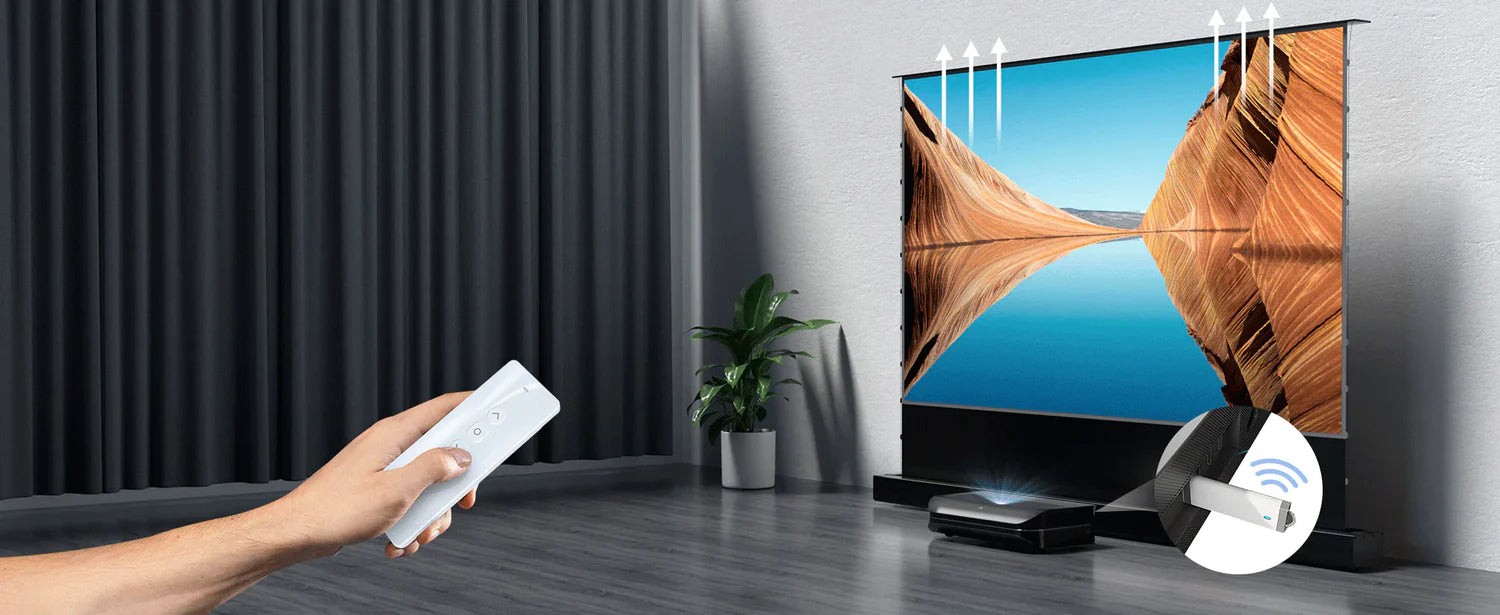
Similar to a pull-down screen, but this one extends at the push of a button (remote control or trigger). High-quality motorized screens are often "tension" or "cable-tensioned" screens.
- Advantages:Very high comfort. Tension systems use lateral cords to actively keep the fabric taut, ensuring a much flatter surface compared to standard roller blinds.
- Disadvantages:Requires a power connection, more expensive than manual versions.
- Ideal for:High-quality living room home theaters where the screen is seamlessly integrated and remains invisible, without compromising on flatness.
Particularly innovative models are known asFloor-rising screens, which rise from a slim, floor-standing case when needed. This is ideal when ceiling or wall mounting is not possible.
Type 4: Tripod & Portable Screens (For on the go)
These screens are designed for transport.
- Advantages:Maximum portability for presentations or movie nights in the garden.
- Disadvantages:Lack of stability and often the poorest flatness.
- Ideal for:Everything except a serious home theater setup.
Understanding Projection Screen Fabric: Gain, Color, and Contrast
After selecting the form factor, the most important part follows: the screen material. This determines how good your image will actually look.
What is the gain factor? (And why 1.0 is often ideal)
The gain factor (luminance factor) measures how much a screen reflects light compared to a standardized white reference surface.
- 1.0 (matte white):This is the universal standard. The screen reflects light evenly in all directions (wide viewing angle) and is color-neutral. In a darkened room, this is often the best choice.
- >1.0 (high-gain):Enhances the light and makes the image brighter. The downside: the viewing angle becomes narrower and "hotspots" (visibly brighter spots) may appear.
- <1.0 (gray/contrast):These screens "absorb" light to improve black levels. They are a good compromise for living rooms with some ambient light.
White, gray, or black? The screen color and your space
- White screens (gain 1.0 – 1.2):The first choice for dedicated, fully darkened home theaters. Here, they can realize their full potential in terms of color accuracy and brightness, which is especially important for content inHDR in home theateris crucial.
- Gray screens (gain <1.0):These "contrast screens" are the classic trick for living rooms. They absorb some of the ambient light and improve black levels, since "black" on a screen is simply the absence of light.
The revolution in home entertainment: ALR & CLR contrast screens
For most people, a completely dark "home theater basement" is not an option. We want to watch in the living room, with dimmed lights or even during the day. This is where modern technologies come into play.
The problem: Ambient light is the enemy of contrast
Ambient light from windows (side) or ceiling lamps (above) hits the screen and brightens the entire image. The contrast collapses, making the picture appear dull and washed out.
The solution: ALR (Ambient Light Rejecting) screens
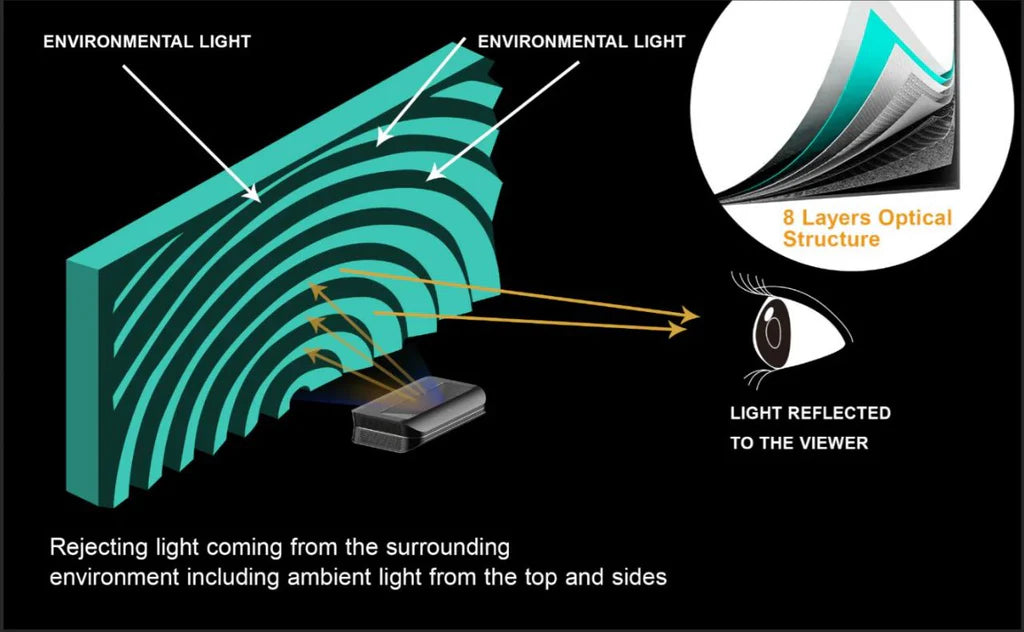
ALR screens are a technological masterpiece. They are no longer passive reflectors, but active optical filters.
They feature a specialized surface structure (e.g., microscopically small ridges or lenses) designed to actively block ambient light from above or the sidesto rejector toabsorb. At the same time, the light emitted by the projector is directed specifically toward the viewerreflected.
The result:An impressively high-contrast, vibrant, and TV-like image – and a true answer to theProjector or TV-Question.
Special case: Why short-throw and laser projectors (UST) require specialized screens
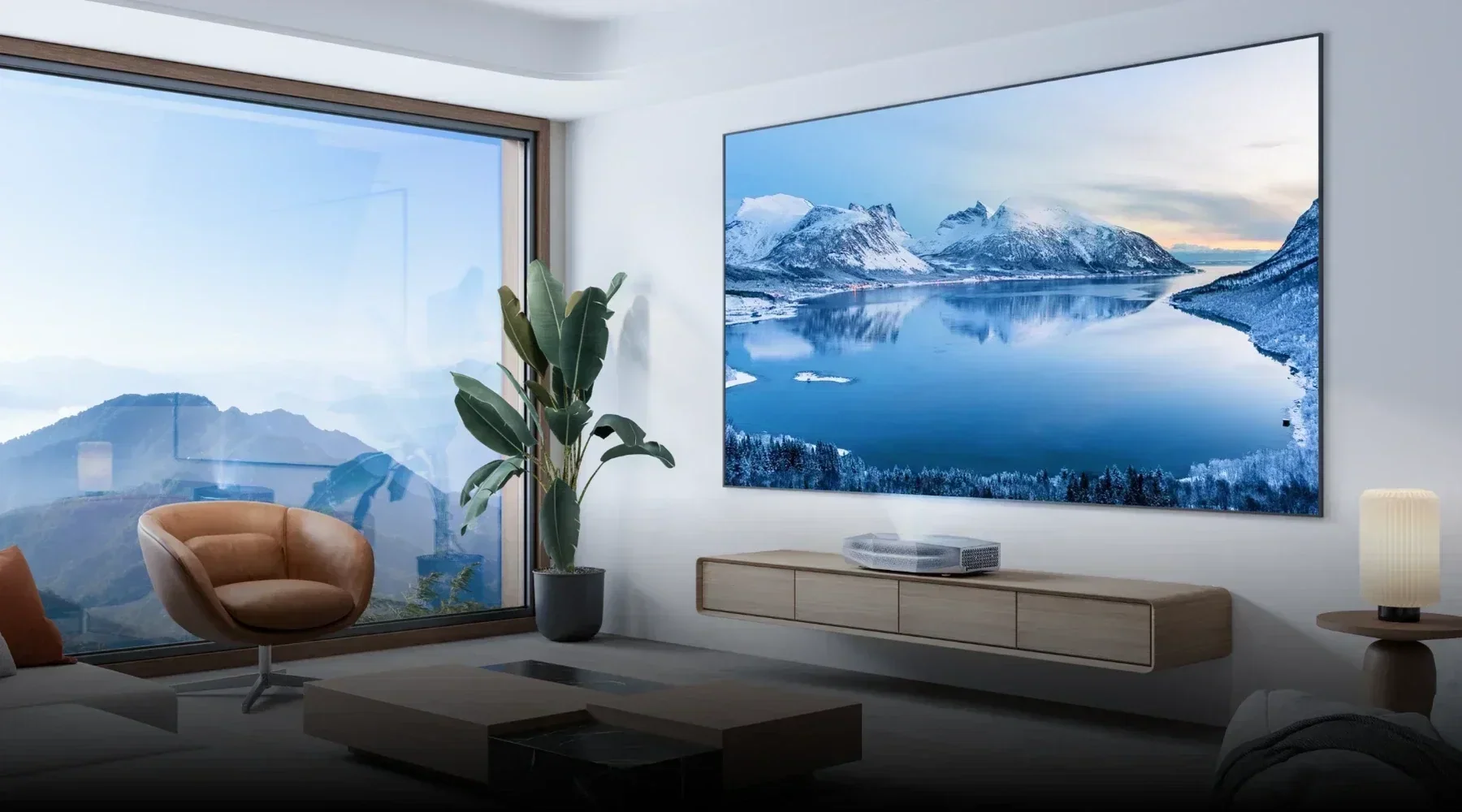
A trend in home cinema isUltra-short throw projector (UST), also known as "laser TVs." These devices are placed directly in front of the wall (or on a lowboard) and project the image upward from an extremely steep angle.
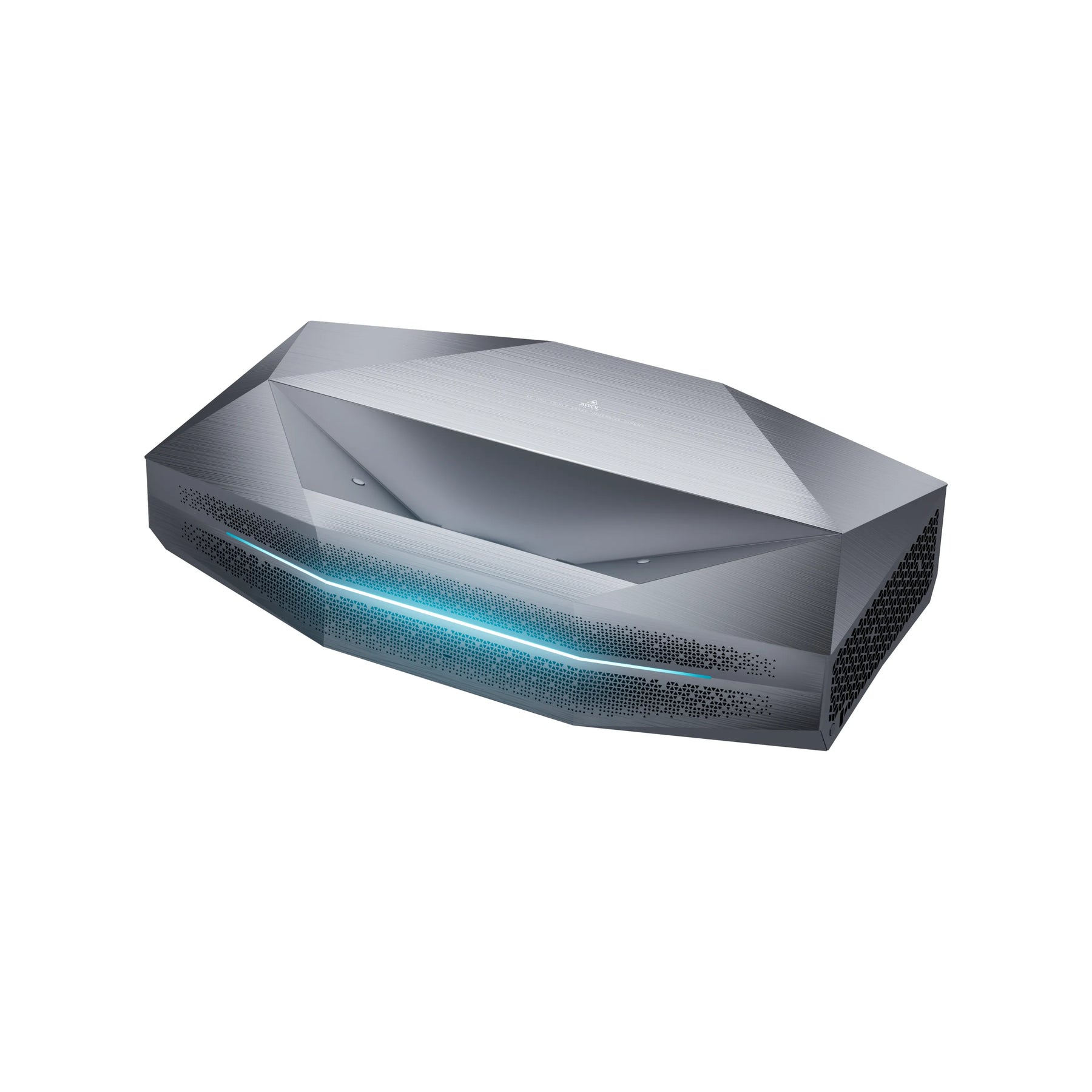
Aetherion Max 4K RGB ultra-short throw projector €3,699.00 €3,999.00 4K up to 200 inch 3300 ISO lumens 6000:1 contrast PixelLock™ Anti-RBE 2D/3D 110% Rec.2020 VRR + 1 msPre-order
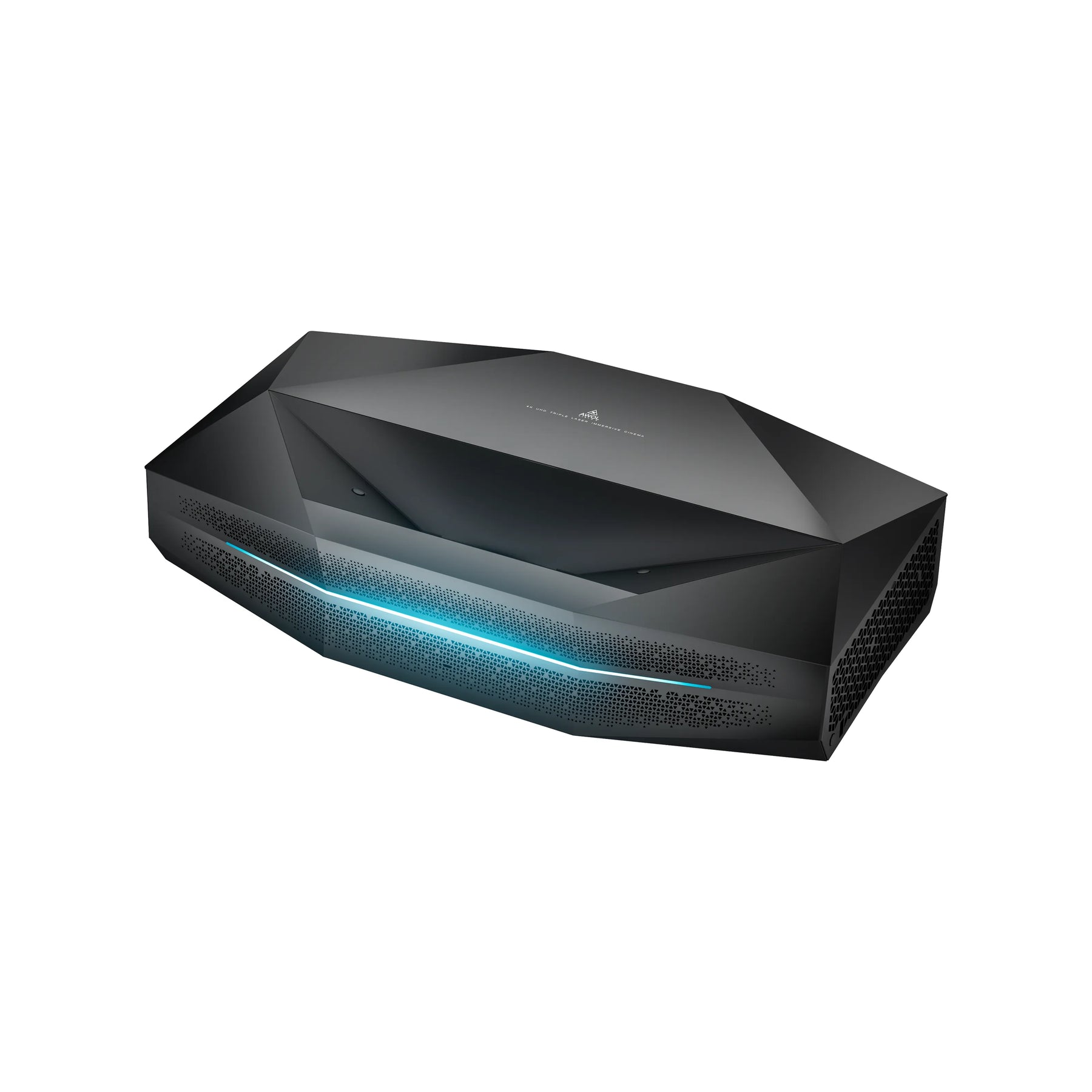
Aetherion Pro 4K RGB ultra-short throw projector €2,799.00 4K up to 200 inch 2600 ISO lumens 6000:1 contrast PixelLock™ Anti-RBE 2D/3D 110% Rec.2020 VRR + 1 msPre-order
This presents a particular challenge that many buyers overlook.
The problem of the shallow angle
If you point a UST projector at a regular matte white screen, most of the light will simply be reflected upwards toward the ceiling—away from your eyes. If you use a standard ALR screen, it will also block the light, as it is designed to interpret light coming from "below" (the projector) as ambient light.
The essential solution: CLR and specialized UST-ALR screens
For UST projectors, you need a screen specifically optimized for this shallow angle. These are often referred to as CLR (Ceiling Light Rejecting) or simply UST-ALR.
These screens use a special microstructure, usually lenticular or Fresnel-based. It is designed to block light coming from above (ceiling lights), while capturing the steeply upward light from the UST projector and directing it precisely and horizontally to the viewer’s eyes.
For example, theAWOL Vision Cinematic ALRorFresnel Daylight ALR screensspecifically designed to precisely capture the light from a projector placed below while absorbing ambient light from above or the sides. This ensures a brilliant image even in daylight.
Important note:Using a standard screen with an expensive UST projector results in significant quality loss. If you are wondering whether a4K projector is worth it, the answer is: Yes, but only with the right screen.
Checklist: Find the Right Screen in 4 Steps
Still feeling overwhelmed? Use this checklist to quickly narrow down your options.
Step 1: Where is your projector located?
- Standard projector (placed at the back or ceiling-mounted):You have complete freedom of choice. Proceed to step 2.
- Ultra-short throw projector (placed at the front on a lowboard):Your choice is simple: You definitely need a CLR/UST-ALR screen.
Step 2: How bright is your room?
- Dedicated, dark home theater:A matte white screen (gain 1.0) is ideal and often the most affordable option.
- Bright living room (with ambient light):You will need an ALR screen (for standard projectors) or a CLR/UST-ALR screen (for UST projectors).
Step 3: How much space do you have? (Format & Size)
- Format:For movies, series, and modern gaming,16:9the universal standard. (Older formats such as 4:3 are intended for business presentations, while 21:9 is for true cinema purists.)
- Size:A good rule of thumb for a cinematic (immersive) experience:Seating distance (in cm) / 1.5 = Optimal screen width (in cm). (Or use a calculator to determine the exactCalculate screen size).
Step 4: Permanent or invisible? (Choose form factor)
- Can the screen remain hanging at all times?-> Select aFramed screenfor optimal flatness.
- Does the wall need to remain clear?-> Choose a high-qualityMotorized screen, ideally with a tension system (cable tension).
- Wall or ceiling mounting not possible?For maximum flexibility in the living room, there are also motorized floor screens, such as theAWOL Vision Cinematic+ ALR Motorized Screen, which extends from a slim case when needed.
Conclusion: A screen is an investment, not an expense
Choosing the right screen is just as important as choosing the projector. It is the component that transforms the projected light into an image.
Don't cut corners where it matters. The best screen is always the one that fits yourRoom(light/dark) and yourProjector(Standard/UST) fits. A modern contrast screen (ALR/CLR) may seem expensive at first glance, but it is the key factor that transforms a good projector into a true, TV-bright cinema experience—right where you live: in your living room.
Frequently Asked Questions
What can be used as a projection screen for a projector?
A dedicated projector screen is ideal, as its surface (fabric) and flatness are optimized for light reflection. A smooth, matte white painted wall can serve as a temporary solution, but textured wallpaper is unsuitable due to its uneven structure.
Which type of screen is best suited for a projector?
This depends on the room and the projector. In a completely dark room, a matte white fixed-frame screen (gain 1.0) is often ideal. In a bright living room, an ALR contrast screen (Ambient Light Rejecting) is the best choice. For ultra-short throw projectors (UST), a dedicated CLR/UST-ALR screen is essential.
How large should a projector screen be?
This depends on the seating distance. A common rule of thumb for home theater immersion is: divide your seating distance (in cm) by 1.5 to get the recommended screen width (in cm). For a detailed calculation, read how to calculate your screen size.
Do I need a special screen for a laser projector?
Not for every laser projector. However, if it is an ultra-short throw (UST) laser projector (laser TV), the answer is: Yes, absolutely. You need a special CLR or UST-ALR screen designed for the extremely steep projection angle. Our ultra-short throw projector guide explains this in detail.
Discover More Insights