What is 4K resolution? The ultimate guide for your home theater
October 2, 2025
The term4Kis ubiquitous in the field of consumer electronics. Whether purchasing a newTV, projector, or monitor– 4K is promoted as the ultimate standard. But what does this term actually mean? There is often confusion about what exactly is behind this marketing buzzword.
This guide explains in simple and clear terms what 4K resolution means, how it technically differs from standards like Full HD, and why it is so important for a true, immersive home cinema experience.
The precise definition: What does 4K mean in pixels?
At its core, resolution measures how many individual pixels make up a digital image. The more pixels, the sharper and more detailed the image can be displayed.
3840 × 2160 pixels: Four times more than Full HD
When we talk about 4K in the home environment, we usually mean theUHD standard (Ultra High Definition). This has a resolution of3840 × 2160 pixels. This results in an impressive total of8,294,400 pixels.
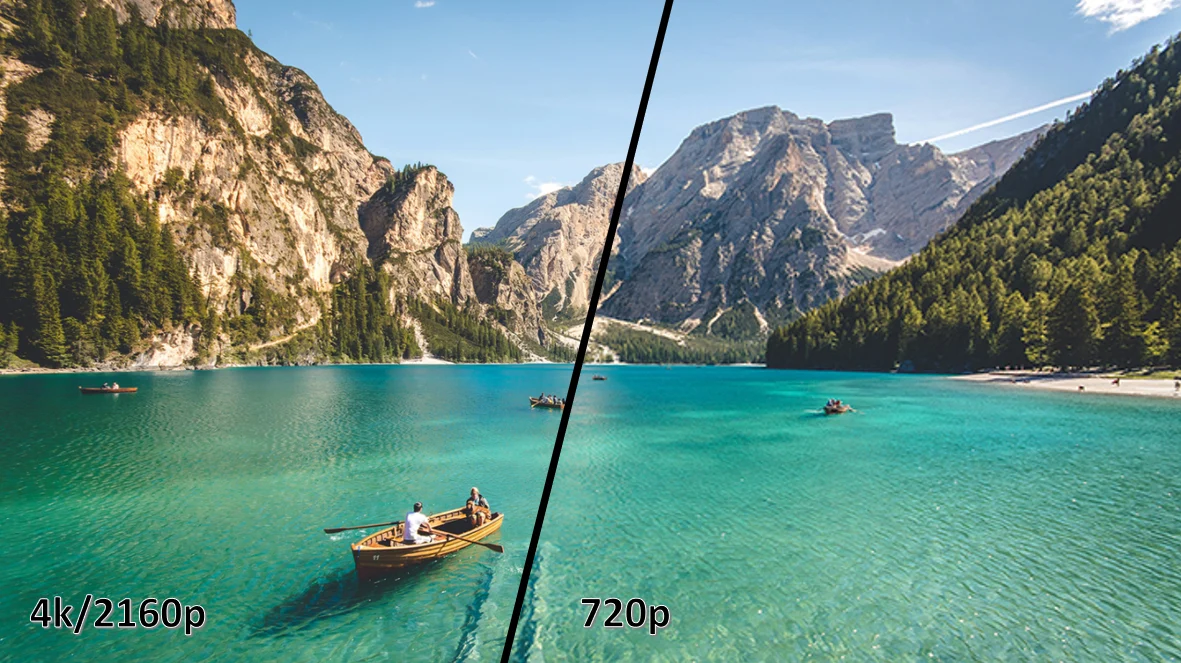
To put this in perspective: The previous standard,Full HD (1080p), consists of 1920 × 1080 pixels, totaling 2,073,600 pixels. A 4K screen therefore containsexactly four times as many pixelslike a Full HD screen. It has double the horizontal and double the vertical resolution. This precise quadrupling is technically significant, as it makes upscaling Full HD content to 4K displays particularly efficient. Sometimes the resolution is also referred to as"2160p"refers to the number of vertical pixel lines.
The most common point of contention: 4K vs. UHD
One of the biggest sources of confusion is the distinction between the terms "4K" and "UHD". Although they are often used interchangeably in everyday language, there is a technical difference that originates from the world of cinema.
What is the difference?
- DCI 4K:This is the professional standard for digital cinema production, established by the Digital Cinema Initiatives (DCI). It features a resolution of4096 × 2160 pixelsand a slightly wider aspect ratio of approximately 1.90:1, suitable for cinema screens.
- 4K UHD (Ultra HD):This is the standard for consumer devices. With3840 × 2160 pixelsit has an aspect ratio of 16:9, which fits perfectly with modern TVs and projectors.
What does this mean for you?
For you as a consumer, this distinction is of little practical relevance. The industry developed the UHD standard because it represents a perfect quadrupling of 1080p, which simplifies upscaling older content. Since 3840 pixels is close to 4000, marketing departments simply adopted the already familiar and more impressive-sounding term "4K." So when you buy a 4K TV or projector today, you are purchasing a device withUHD resolution– and thus the current gold standard for razor-sharp images in home environments.
When does 4K make a visible difference? The factor of screen size
Investing in 4K is not equally worthwhile in every scenario. Whether you actually notice the benefit of higher resolution depends on two key factors: theScreen sizeand yourSeating distance.
Here comes the concept ofPixel density (PPI - pixels per inch)comes into play. The higher the pixel density, the smaller and less distinguishable each pixel becomes, resulting in a smoother, sharper image.
- On a small 32-inch TV from a distance of three meters, the difference between 1080p and 4K is barely noticeable to the human eye.
- The difference becomes noticeable on a 65-inch TV, as a 1080p image would have a lower pixel density and could appear "pixelated.
Why 4K Is Essential for Projectors
When it comes to the screen sizes achievable with a projector, 4K is no longer an option but a necessity. Imagine aScreen with 100, 120, or even 150 inchIf only a Full HD resolution were used here, the pixel density would be so low that you could see the pixel grid (the so-called "screen door effect") from a normal viewing distance. This breaks the illusion and pulls you out of the cinematic experience.
The 8.3 million pixels of 4K ensure that the image remains absolutely sharp even on large surfaces, with the pixel structure remaining invisible. The screen becomes a clear "window into another world," which is essential for maximum immersion.
Checklist: What You Need for a True 4K Experience
To fully enjoy 4K, all components of your home theater system must work together.
- A 4K display:The display device—whether a TV, monitor, or projector—must support the native resolution of 3840 × 2160 pixels.
- 4K content:You need sources that provide 4K content. These include streaming services such as Netflix, Amazon Prime Video, and Disney+ (with the appropriate subscription tiers), 4K Ultra HD Blu-rays for the best possible quality, as well as modern gaming consoles like PlayStation 5 or Xbox Series X.
- The right connection:To transmit the vast amounts of data from 4K signals, you needmodern HDMI cables (2.0 or higher). HDMI 2.0is the minimum standard for 4K at 60 frames per second (60Hz). For higher refresh rates, such as 120Hz for gaming,HDMI 2.1required. In addition, the entire chain must comply with the copy protection standard.HDCP 2.2support, otherwise protected content may be blocked or played back in lower quality.
Additional tip: More than just pixels – HDR
While 4K fills the screen with detail, it is other technologies that truly bring these pixels to life. The most important of these isHDR (High Dynamic Range). HDR dramatically expands the contrast and color range of an image. The result is brighter highlights, deeper shadows, and more lifelike, richer colors. There are various formats such as HDR10 and the more advancedDolby VisionOften, the "wow effect" of well-implemented HDR is even greater than the leap from 1080p to 4K.
Conclusion: 4K is the gold standard for modern home cinema
4K resolution has evolved from a luxury feature to an essentialStandard for a premium home cinema experiencedeveloped. It delivers the sharpness and level of detail necessary to create an immersive and realistic visual experience on large screens.
The core message is simple:The larger the screen size, the more important 4K resolution becomes.For the truly cinematic experience that only aLaser TV projectorbeing able to project onto a massive screen, 4K is the absolute foundation. It ensures that your image is not only large, but also perfectly clear—just like in a real cinema.
FAQ about 4K UHD resolution
What is the resolution of 4K?
In home theater and TV, 4K typically refers to a resolution of3840 × 2160 pixels. This resolution is also referred to asUHDor2160pThis results in approximately 8.3 million pixels in total, which is four times as many as Full HD.
What is 4K resolution in simple terms?
4K resolution means that an image consists of a particularly high number of individual pixels. The more pixels there are, the finer and more detailed the image can be displayed. Especially on large TVs, monitors, or projectors, 4K delivers a sharper and clearer picture.
Is 4K the same as UHD?
In everyday use, 4K and UHD are often used interchangeably. Technically, however, there is a small difference: UHD has3840 × 2160 pixelsand is the standard for televisions and home theater projectors. DCI 4K from the cinema sector has4096 × 2160 pixels. For consumers, "4K" almost always refers to UHD.
How many pixels does a 4K resolution have?
Features 4K UHD resolution3840 × 2160 pixels, so in total8,294,400 pixels. For comparison: Full HD has only 1920 × 1080 pixels. 4K therefore offers four times as many pixels as Full HD and can display significantly more image details.
When is 4K resolution worth it?
4K is especially worthwhile for larger screens or short viewing distances. On small displays viewed from far away, the difference compared to Full HD is less noticeable. For 65-inch TVs, large monitors, or projection surfaces from 100 inch and above, the increased sharpness of 4K becomes significantly more important.
Why is 4K especially important for projectors?
Projectors often produce very large images. At 100, 120, or 150 inch screen sizes, Full HD can quickly appear less sharp because the pixels become more visible. A 4K resolution distributes more than 8 million pixels across the large area, ensuring the image appears clear, detailed, and less pixelated.
What do I need for a true 4K experience?
For true 4K, you need a 4K-capable display or a 4K projector, compatible 4K content, and an appropriate connection. For 4K at 60 Hz, HDMI 2.0 is usually sufficient, while 4K at 120 Hz requires HDMI 2.1. Your streaming subscription, Blu-ray player, console, or media player must also support 4K.
Discover More Insights